Why Do Order Automation Projects Fail at Distributors?
Most order automation projects at distributors die quietly. Here is why template tools break, what it costs, and 7 questions to ask any vendor first.


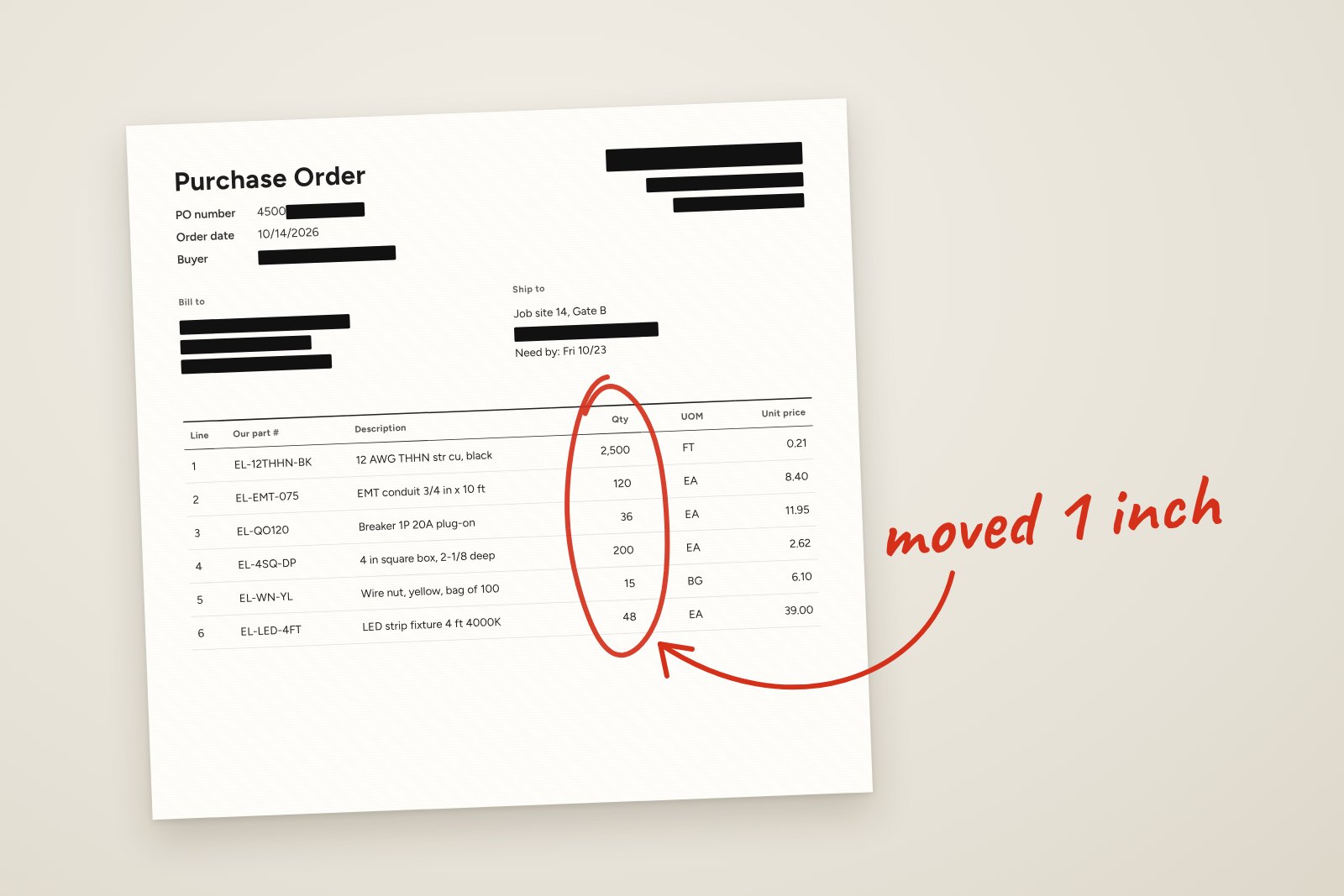
Table of contents
OptionBy Mike Mayer, CMO, Revalgo
Short answer: Most order automation projects at distributors fail because the tool only works when customers send orders in a fixed format. Customers never do. When a PO layout changes or an unknown part number appears, the order stops, a rep keys it by hand, and the team quietly stops using the tool.
I have watched this happen at two electrical distributors. One was a century-old, family-owned company on the Mississippi. The other was a national distributor built from a family of regional houses. Different companies, different years, same kind of tool and the same ending. Here is what went wrong, what it cost, and how to keep it from happening to you.
What does a failed order automation project look like?
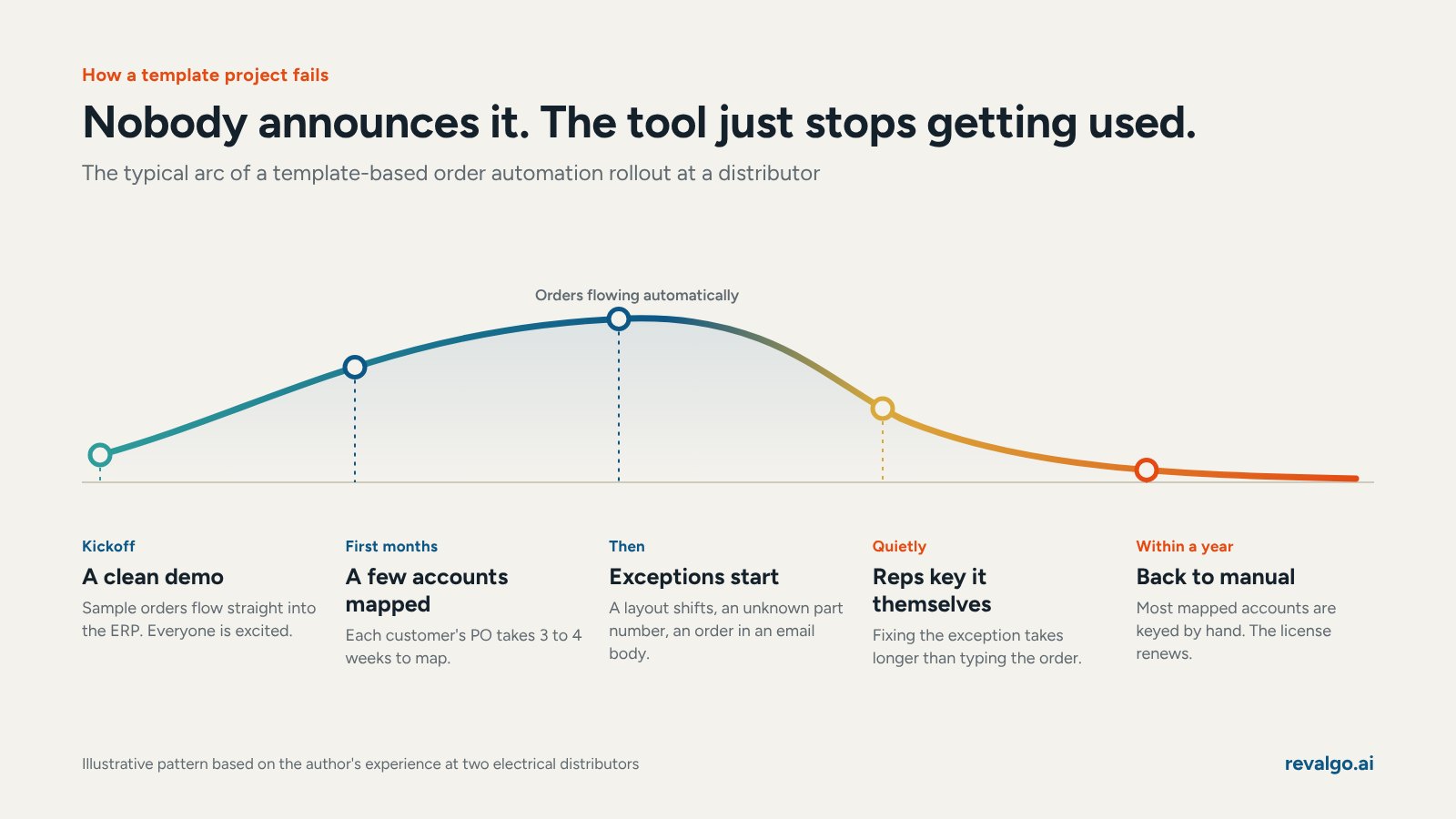
It rarely looks like a failure at first. The vendor demo is clean. The first few customers get set up. A handful of orders flow straight into the ERP and everyone is excited.
Then the exceptions start.
A customer upgrades their purchasing system and the PO layout shifts. A buyer adds a line with a part number the tool has never seen. Someone sends the order in the body of an email instead of as a PDF. Each time, the order stops and lands in an exception queue.
Nobody announces that the project failed. Reps simply learn that fixing the exception takes longer than entering the order themselves. So they start entering. Within a year, most of the accounts that were set up are back to manual entry, and the software license keeps renewing.
Why do template-based order tools break so easily?
Template tools work by building a static map for each customer's purchase order. The map tells the software that the part number lives in column three, the quantity in column five and the ship-to in the top right corner.
That approach has three built-in weaknesses.
- Every customer needs its own map. In my experience, mapping one customer's PO format took 3 to 4 weeks. At that pace you automate a handful of accounts a year, not your customer base.
- Every map assumes nothing changes. Customers change systems, forms, buyers and habits all the time. Every change breaks the map. Updating it? A few more weeks.
- A map helps you, but it doesn't do the work. Template-based order tools capture useful information, but they don't do anything with it, like figure out whether the item is in stock, which branch should ship it, what the right price is or what to do with a part number they don't recognize.
What are the 7 most common failure points?
How much does a failed project really cost?
The license fee is the visible cost. The hidden costs are larger.
- Implementation time. Weeks of your team's time mapping customers who will be back on manual entry within a year.
- Exception handling. Reps spend time fixing broken orders instead of selling.
- Missed signals. Notes, dates and special instructions that the tool ignored turn into late shipments and credits.
- Lost trust. The next time someone proposes automation, the team remembers the last one. That skepticism can delay a good project by years.
The biggest lesson from my own experience was the last one we noticed. We never had a real business case. Nobody measured the cost of an order before or after, so nobody could say whether it paid off.
What should you ask an order automation vendor before you sign?
Bring your messiest real orders to the demo and ask these seven questions.
- What happens the first time a customer sends an order your system has never seen before?
- How long does it take to add a new customer, in days, with no mapping?
- What happens when a line has the customer's own part number, a competitor's number or only a description?
- Does the system check stock across branches and decide whether to transfer, split or wait?
- What does it do with items we don't stock?
- How does it show my reps which lines it is unsure about?
- Who owns the exceptions, and how many should we expect per 100 orders?
If the answers depend on templates, mapping or "training each customer," you are looking at the same kind of tool that failed for me twice.

What does order automation that holds up look like?
The tools that survive real customers do the work behind the document, not just the document. Every line gets matched to your catalog using the customer's own history, even when they used their own part number or only a description. Stock is checked across your branches, the right location is picked, pricing comes off contract or last paid, and items you don't stock get sourced from your suppliers. The result is an optimized order, ready for your rep to confirm, rather than a typed-up copy of the PO. Each line carries a confidence score, so your reps review only the lines the system isn't sure about. And because none of this depends on a template, it works on whatever your customers send, whether that's an email, PDF, spreadsheet, fax or text.

Reading the order is the easy part, and the value is in everything that happens after it.
Frequently asked questions
Why do customers keep changing their purchase order formats?
Customers change ERP systems, purchasing software, forms and buyers. Each change can move fields around on the PO. Most customers have no idea their change broke anything on the distributor's side.
Is EDI a better answer than order automation?
EDI works well for large customers who will invest in it. Most distributors still receive the majority of orders by email, PDF, phone and text from customers who will never set up EDI. The two work side by side.
How long should it take to add a new customer to order automation?
With modern tools that read without templates, there should be no per-customer mapping at all. If a vendor quotes weeks per customer, ask why.
Should every order flow through with no human touch?
Not at first. Let the system score each order, send only the ones it's sure about straight to your ERP, and raise that bar as it proves itself.
How do I know if my current order automation is failing?
Pull the share of orders keyed by hand for each customer that was set up on the tool. If it has climbed back up, your team has already voted.
Should I measure cost per order before buying automation?
Yes. Measure lines per day, minutes per line, loaded hourly cost and error rate. That number becomes your business case and your scorecard.
Mike Mayer is CMO of Revalgo and has spent 30 years running digital and order-desk strategy for manufacturers and distributors, including senior roles at two electrical distributors.